
Surveymonkey
SurveyMonkey is a web-based survey and form platform for individuals, teams, and organizations that need to collect feedback, run market research, conduct employee experience programs, and manage registrations. It provides templates, question types, respondent targeting, basic analysis, and integrations to help users design surveys, collect responses, and extract actionable insights.
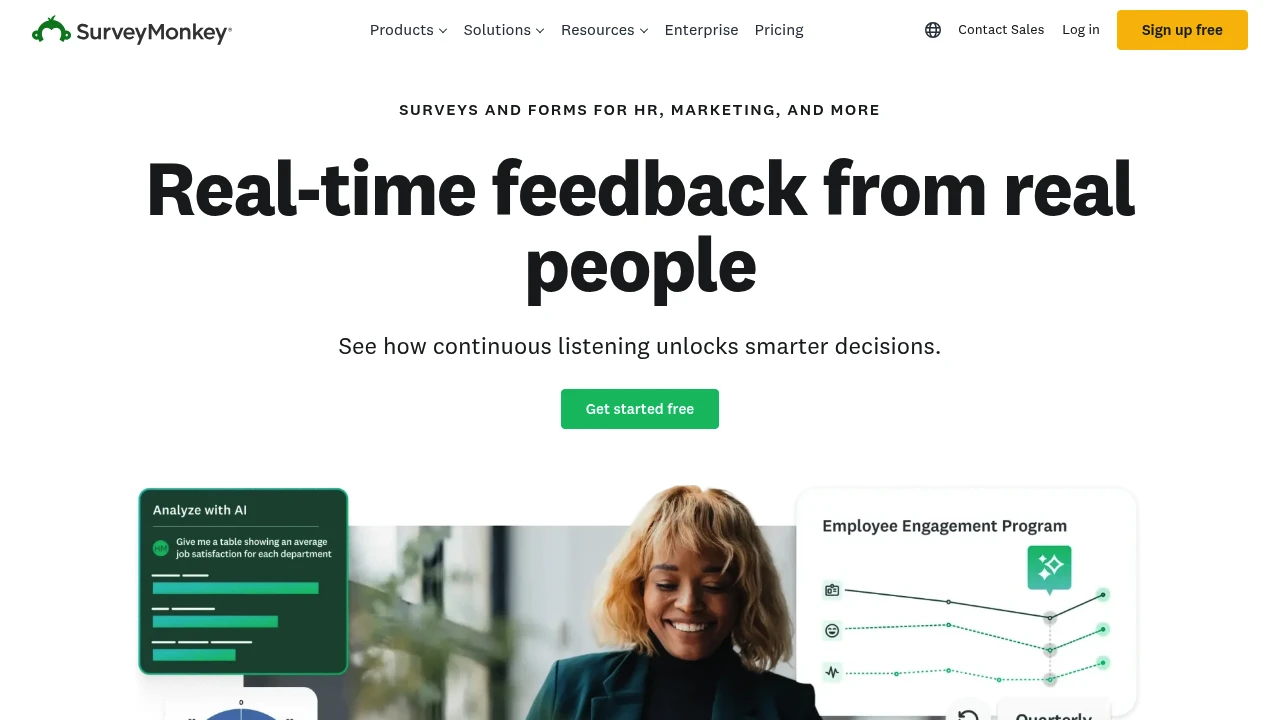
What is SurveyMonkey
SurveyMonkey is an online survey and form platform used to design questionnaires, collect responses, and analyze feedback for business, academic, and personal use. The product is designed to work for single users as well as teams and large organizations; common use cases include customer satisfaction (NPS), employee engagement, market research, event registrations, and product feedback. SurveyMonkey is part of Momentive and is widely used across industries, with public reports noting adoption by hundreds of thousands of organizations worldwide.
Technically, SurveyMonkey provides a web interface and mobile-friendly forms, a library of templates and question types, survey logic and branching, distribution channels (email, anonymous links, embedded surveys), and reporting tools that summarize results and export data. It also offers advanced features for larger customers such as single sign-on (SSO), admin controls, and enterprise-grade security. The platform combines human-built templates with AI-assisted question and form generation to speed survey creation.
Users range from individual freelancers and small teams running ad-hoc surveys to research teams and enterprises managing continuous feedback programs. The product emphasizes ease-of-use so non-technical users can put surveys into the field quickly, while offering administrative and integration options for IT and research teams.
SurveyMonkey features
SurveyMonkey provides a mix of creation, distribution, analysis, and governance features targeted at different user needs.
What does SurveyMonkey do?
SurveyMonkey helps you design surveys and forms using templates, question libraries, and AI-driven suggestions. It supports standard question types (multiple choice, rating scales, open text), advanced options (matrix/likert scales, randomization, piping), and conditional logic (skip logic, branching) to make surveys more relevant to respondents. The editor includes drag-and-drop layout tools and customization for branding, logos, and styling.
On the distribution side, SurveyMonkey lets you send surveys by email, generate shareable links, embed forms on websites, or distribute via paid respondent panels. The platform also supports targeted respondent recruitment through its audience panels and third-party sampling partners, which can help reach specific demographics or global geographies.
For analysis, SurveyMonkey offers real-time dashboards, response filtering, cross-tabs, trend analysis, and automated highlight summaries. Users can export raw data to CSV, XLS, or SPSS for further analysis, and share results via PDF reports or live dashboards with stakeholders. AI-supported analysis features extract themes from open-text answers and surface key patterns.
Administration and integrations are built for scale: role-based access controls, team workspaces, audit logs, and integrations with common business tools such as CRM systems, analytics platforms, and collaboration tools. The product also supports automated workflows via connectors and a rich API.
Key functional areas:
- Survey and form creation: templates, AI-assisted question generation, drag-and-drop editor
- Logic and personalization: skip logic, question randomization, piping, custom variables
- Distribution: email collectors, anonymous links, embedded forms, respondent panels
- Analysis and reporting: dashboards, exports, text analysis, cross-tabulation
- Security and governance: admin controls, SSO, data export controls, audit logs
- Integrations and automation: native connectors, webhooks, and API access
For developer-oriented tasks, SurveyMonkey provides an API and webhook support to programmatically create surveys, retrieve responses, and integrate survey data into internal systems.
SurveyMonkey pricing
SurveyMonkey offers flexible pricing tailored to different user types, from individual users to large enterprises. Plans are available with monthly and annual billing options, and enterprise contracts are offered for large organizations with custom needs. For specific, up-to-date pricing tiers and seat-based discounts, users should consult the source below.
- Free Plan: $0/month — create surveys and collect a limited number of responses per survey (SurveyMonkey historically limits free collectors to a finite number of responses).
- Starter: pricing varies by billing cadence and region; paid individual plans add advanced question types, more responses, and export capabilities.
- Professional: pricing increases to include team collaboration, branding control, and expanded analysis features.
- Enterprise: custom pricing for large organizations with advanced security, admin controls, SSO, and integration support.
SurveyMonkey provides both monthly and annual billing options; annual commitments commonly include a percentage savings over monthly payments. Exact monthly and yearly prices depend on the chosen plan, number of users, and any promotional offers.
Check SurveyMonkey's current pricing options for exact monthly and annual rates, seat limits, and enterprise licensing. Visit their official pricing page for the most current information.
How much is SurveyMonkey per month
SurveyMonkey offers competitive monthly plans where individual paid plans and team subscriptions are billed monthly or annually, with monthly billing typically priced higher than annual commitments. Monthly plan details and costs vary by country and by whether you choose an individual or team plan. Refer to SurveyMonkey's current pricing options to compare monthly subscriptions.
How much is SurveyMonkey per year
SurveyMonkey offers annual billing options that normally reduce the per-month cost compared with monthly billing. Annual subscriptions commonly provide a 10–20% or greater savings relative to month-to-month pricing, depending on plan and promotion. Check SurveyMonkey's official pricing page for up-to-date annual rates and savings details.
How much is SurveyMonkey in general
SurveyMonkey pricing ranges from a free tier with limited responses to custom-priced Enterprise plans. The cost depends on features you need (advanced question types, response quotas, team collaboration, and security controls) and the number of users or seats. Small teams typically pay a mid-range subscription fee per user, while organizations with advanced compliance needs negotiate enterprise agreements.
For an accurate estimate tailored to your organization, review SurveyMonkey's current pricing options or contact their sales team to request an enterprise quote. Visit their official pricing page for the most current information.
What is SurveyMonkey used for
SurveyMonkey is used for collecting structured feedback across a variety of scenarios: customer satisfaction surveys (including NPS), employee engagement and pulse surveys, market research, event registration and feedback, academic research, and product testing. The platform supports short one-off forms as well as continuous feedback programs that track trends over time.
Common practical applications:
- Customer experience programs: gather NPS, CSAT, and product feedback at key touchpoints such as post-purchase or post-support interaction
- Employee feedback: run engagement surveys, 360-degree reviews, and pulse checks with anonymous or identifiable responses
- Market research: deploy structured questionnaires with quota sampling and demographic targeting
- Event management: use forms for registrations, pre-event planning, ticketing questions, and post-event evaluations
SurveyMonkey's audience panel and targeting options let researchers reach specific demographics or geographies, and the export and integration features make it straightforward to combine survey data with CRM, analytics, or business intelligence tools for deeper analysis.
Pros and cons of SurveyMonkey
SurveyMonkey is a mature platform with strengths in templates, distribution options, and brand recognition, but it also has limitations for certain use cases.
Strengths:
- Extensive template library and question types that speed survey creation for non-researchers
- Multiple distribution channels and respondent targeting options, including access to paid respondent panels
- Built-in analytics, exports, and basic AI-driven text analysis for quick insight
- Administrative controls and integrations suitable for team workflows and governance
Limitations:
- Advanced research needs (complex sampling, in-survey experiments, or very large-scale studies) sometimes require specialized research platforms or custom implementations
- Some advanced features such as full-text analytics, advanced cross-tabs, or offline data collection may require higher-tier plans or third-party tools
- Cost can be a consideration for organizations that require high response volumes or many licensed users; enterprise agreements are available but priced per negotiation
Practical considerations for selecting SurveyMonkey:
- Evaluate expected response volume and whether the free response limit meets your needs (Free Plan may allow limited free responses per survey)
- Validate question-and-logic needs; some conditional logic and randomization features are gated behind paid plans
- If you need tight security controls (SSO, audit logs, data residency), confirm those features are available on the plan you choose and review SurveyMonkey's enterprise security documentation such as their enterprise security features
SurveyMonkey free trial
SurveyMonkey provides a free tier that allows users to create surveys and collect a limited number of responses per survey. Paid trial periods or demo accounts for higher-tier plans may be available from time to time; organizations evaluating team or enterprise features can request a trial or demo through SurveyMonkey's sales channels.
The free tier is useful for prototyping surveys, testing question wording, and trying basic distribution methods without financial commitment. However, if you need larger response volumes, advanced branching, or data exports, plan for a paid subscription during evaluation to exercise those capabilities fully.
To confirm current trial availability, limitations, and any time-limited promotions, check SurveyMonkey's pricing and trial information or contact their sales team using the contact options on their site.
Is SurveyMonkey free
Yes, SurveyMonkey offers a free tier. The free tier lets you create surveys and collect a limited number of responses per survey (historically capped at 25 responses per survey on the free plan). The free option is suitable for testing and light usage, but users who need more responses, advanced logic, export capabilities, or team collaboration typically upgrade to a paid plan.
SurveyMonkey API
SurveyMonkey provides a RESTful API for programmatic access to survey creation, collectors, and response retrieval. The API supports creating surveys, adding questions, launching collectors, and downloading responses for integration with internal systems or reporting pipelines. Typical API uses include automating survey deployment, syncing respondent lists, and ingesting response data into analytics platforms.
Developers can authenticate using OAuth and manage rate limits and pagination per API documentation. For implementation details, endpoints, and SDKs, consult SurveyMonkey's official developer documentation at the SurveyMonkey API documentation. The API is commonly used alongside webhooks to receive real-time notifications when responses arrive.
If you plan to integrate survey data into a CRM or product analytics system, check available native integrations first and use the API when custom flows or advanced automation are required.
10 SurveyMonkey alternatives
Paid alternatives to SurveyMonkey
- Qualtrics — Enterprise-focused experience management platform with advanced research features, complex survey logic, and extensive analytics suited for large-scale academic and corporate research.
- Typeform — Conversational form and survey platform focused on respondent experience and design; best for engaging surveys with modern UI and integrations for marketing workflows.
- Google Forms — Simple, free form builder integrated with Google Workspace; suitable for lightweight data collection and rapid prototyping.
- Jotform — Form platform with a large template gallery, payment integrations, and conditional logic; useful for registrations and application forms with payment collection.
- Alchemer — Formerly SurveyGizmo, offers advanced survey features oriented toward market research and enterprise feedback programs with flexible data collection options.
- Zoho Survey — Part of the Zoho suite, provides affordable survey tools with integrations into Zoho CRM and other Zoho products for SMBs.
- Microsoft Forms — Included with Microsoft 365 subscriptions, suitable for simple surveys, quizzes, and internal feedback within organizations using Microsoft 365.
Open source alternatives to SurveyMonkey
- LimeSurvey — A mature open source survey tool that supports complex questionnaires, branching, quotas, and is suitable for organizations that want full control over hosting and data.
- OhMyForm — Self-hosted form and survey solution built for privacy-focused users; supports basic question types and can be customized by developers.
- FormTools — Open source form management framework that stores form submissions and provides custom views and reporting; often used in web-app integrations.
- Framaforms — A fork of Drupal-based form tools and community-driven form solutions used by organizations prioritizing open-source and self-hosting.
Frequently asked questions about SurveyMonkey
What is SurveyMonkey used for?
SurveyMonkey is used for creating surveys and collecting feedback across customer experience, employee engagement, market research, event registration, and academic studies. The platform supports templates, logic, distribution, and reporting to help teams gather structured data and extract insights.
How do I create a survey in SurveyMonkey?
You create surveys in SurveyMonkey using the web-based editor by selecting a template or starting from scratch, adding question types, and applying logic or branding. The editor supports drag-and-drop, AI-assisted question suggestions, and previewing the survey before distribution.
Does SurveyMonkey provide templates?
Yes, SurveyMonkey offers a large template library covering customer satisfaction, NPS, employee engagement, event feedback, market research, and registration forms. Templates speed up survey creation with pre-built questions and recommended logic flows.
Can SurveyMonkey reach targeted respondents?
Yes, SurveyMonkey can reach targeted respondents through email collectors, shareable links with screening logic, and paid respondent panels that allow selection by demographic criteria or geography. This makes it suitable for market research that requires quota-based sampling.
Is SurveyMonkey secure for enterprise use?
SurveyMonkey includes enterprise-grade security features such as role-based access, SSO, encryption in transit, and administrative controls on higher-tier plans. Organizations with strict compliance requirements should review SurveyMonkey's security documentation and consider Enterprise plans for additional governance; see their enterprise security features.
Why would I choose SurveyMonkey over Google Forms?
SurveyMonkey provides more advanced survey features and analysis tools than Google Forms, including professional templates, advanced logic, respondent targeting, and text-analysis features. Google Forms is a free, lightweight option well-suited for basic data collection but lacks many of the research- and enterprise-oriented controls found in SurveyMonkey.
When should I upgrade from the free plan?
Upgrade when you need higher response limits, advanced question types, or export capabilities. The free tier is useful for testing and small projects, but paid plans unlock conditional logic, larger response quotas, collaboration features, and raw data exports required for research and reporting.
Where can I find SurveyMonkey pricing details?
SurveyMonkey lists detailed plan options on its pricing page. For current monthly and annual rates, seat counts, and enterprise options, check SurveyMonkey's current pricing options and contact sales for custom quotes.
How does SurveyMonkey handle survey data exports?
SurveyMonkey allows exports to CSV, XLS, and SPSS formats. Exported files include question metadata and response data for offline analysis or import into statistics packages and BI tools. Higher-tier plans often include additional export and data management features.
Does SurveyMonkey offer an affiliate or partner program?
SurveyMonkey operates partner programs and reseller relationships for businesses and integrations. If you are interested in affiliate or partnership opportunities, check the corporate partner pages or contact SurveyMonkey's business development team via their site to learn about eligibility and program terms.
How do I get SurveyMonkey support?
SurveyMonkey provides self-service resources and paid support channels. The platform maintains a knowledge base, community forums, and help center articles; paid plans and enterprise customers can access faster or dedicated support channels and onboarding assistance.
What careers are available at SurveyMonkey?
SurveyMonkey (Momentive) posts job openings across product, engineering, research, and corporate functions. For current positions, hiring locations, and application details, visit Momentive's careers page on their corporate site.
Where can I find reviews of SurveyMonkey?
You can find independent reviews on software review sites and publications. Look for user reviews and product comparisons on platforms like G2, Capterra, and TrustRadius to see verified user feedback and feature ratings; also consult industry reports for research-oriented feature comparisons.
Can I integrate SurveyMonkey with my CRM?
Yes, SurveyMonkey supports integrations with popular CRMs and business tools. Native connectors and third-party integration platforms allow survey results to flow into CRM systems, email marketing tools, and BI platforms; when native connectors aren't available, use the SurveyMonkey API to build custom integrations.
Does SurveyMonkey offer offline surveys?
SurveyMonkey has limited offline capabilities via mobile apps for certain plans where previously loaded surveys can be completed offline and synced when the device reconnects, but fully offline, large-scale field data collection may require specialized tools.
Is SurveyMonkey suitable for academic research?
SurveyMonkey can be used for many academic research projects that require structured questionnaires, branching logic, and exports to analysis packages, but researchers needing advanced sampling, lab experiments, or institutional review board-specific workflows should validate feature coverage and data-handling policies before committing.
Can SurveyMonkey handle payment collection on forms?
SurveyMonkey supports payment collection through integrations or form features on specific plans. If you need to collect payments or registrations with fees, verify that your chosen plan includes payment integrations or use a third-party payments integration.
How does SurveyMonkey analyze open-ended responses?
SurveyMonkey provides text analysis tools that surface themes and patterns in open-ended answers using keyword extraction and basic thematic grouping. For deeper qualitative analysis, export responses to specialist tools or perform manual coding.
What respondent limits apply to the free plan?
The free plan historically limits responses to 25 per survey. For higher response quotas, consider paid plans that raise or remove the per-survey response caps and add features like exports and advanced logic.
Does SurveyMonkey support multiple languages?
SurveyMonkey supports multilingual surveys and a localized interface. You can create surveys in multiple languages and target respondents worldwide; some templates and distributions features are localized for major markets.
How accurate are SurveyMonkey audience panels?
SurveyMonkey's paid respondent panels are designed to provide targeted samples across geographies and demographics. Panel accuracy depends on sampling design, quotas, and screening questions; for representative market research, combine panel controls with external methodological checks.
SurveyMonkey careers
SurveyMonkey (Momentive) lists career opportunities across product, engineering, design, research, marketing, and corporate functions. Roles vary by location and team; typical job listings include software engineering, data science, product management, and customer success. Candidates can find openings and application instructions on Momentive's corporate careers page, which also includes information about benefits, culture, and remote work policies.
For academic or research-oriented positions, the company occasionally publishes openings in survey methodology or data science. Larger enterprise customers may seek professional services and implementation partners for large rollout projects.
SurveyMonkey affiliate
SurveyMonkey has historically offered partner programs for resellers, consultants, and integration partners. Affiliate-like relationships may be available through marketplace integrations or partner referral programs; businesses interested in affiliate or partner arrangements should contact SurveyMonkey's partner team through their corporate site for current program details and eligibility.
Where to find SurveyMonkey reviews
You can find user reviews and in-depth comparisons of SurveyMonkey on major software review sites. Useful sources include G2, Capterra, TrustRadius, and industry publications that compare survey platforms. These reviews often cover ease of use, feature completeness, pricing perception, and customer support experiences. For enterprise-grade evaluations, look for case studies and independent research reports that benchmark survey platforms against specific research needs.
Research and source links cited in content:
- SurveyMonkey pricing and plans: https://www.surveymonkey.com/pricing/
- SurveyMonkey API documentation: https://developer.surveymonkey.com/api/v3/
- SurveyMonkey security and compliance: https://www.surveymonkey.com/mp/legal/security/

Similar to Surveymonkey


